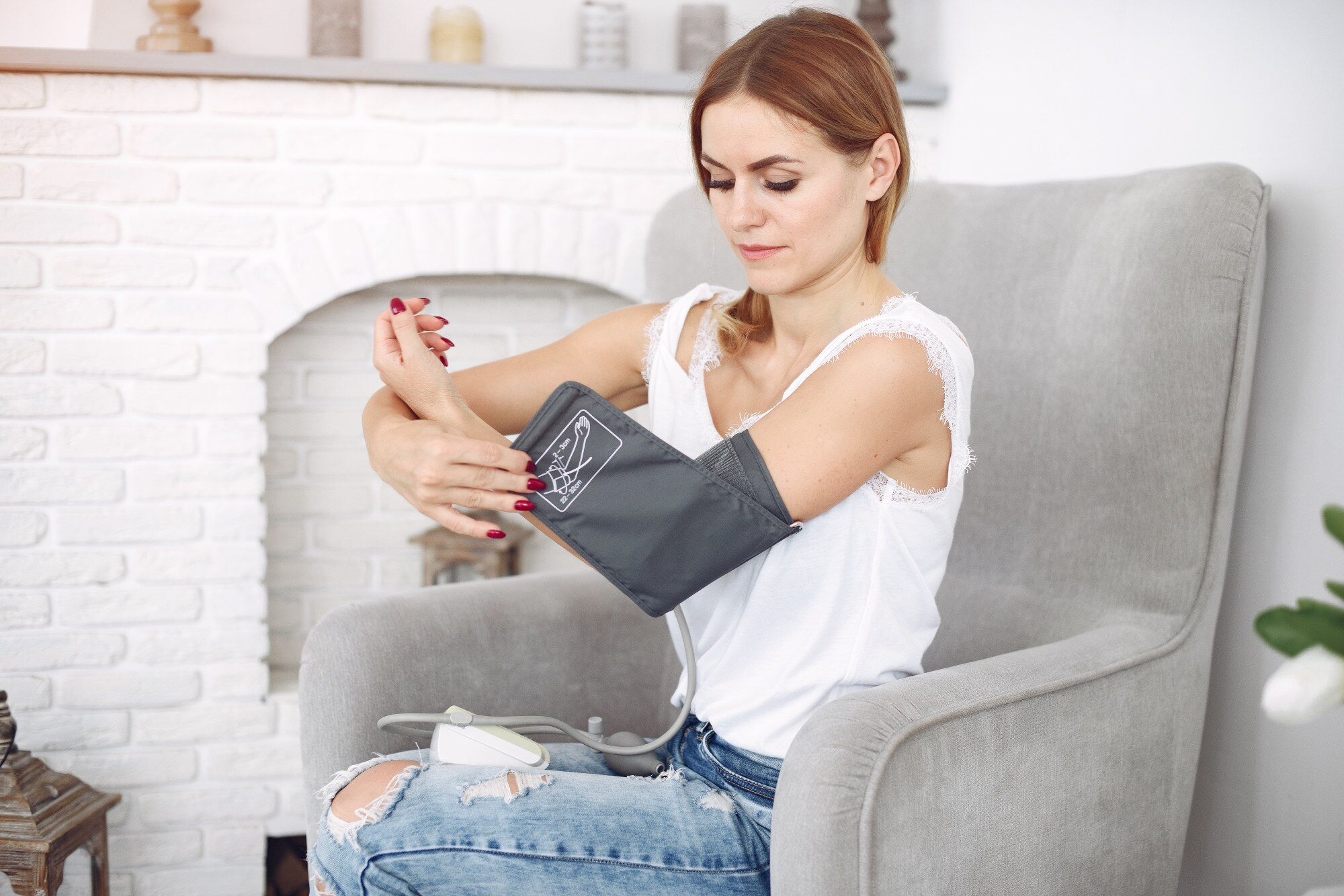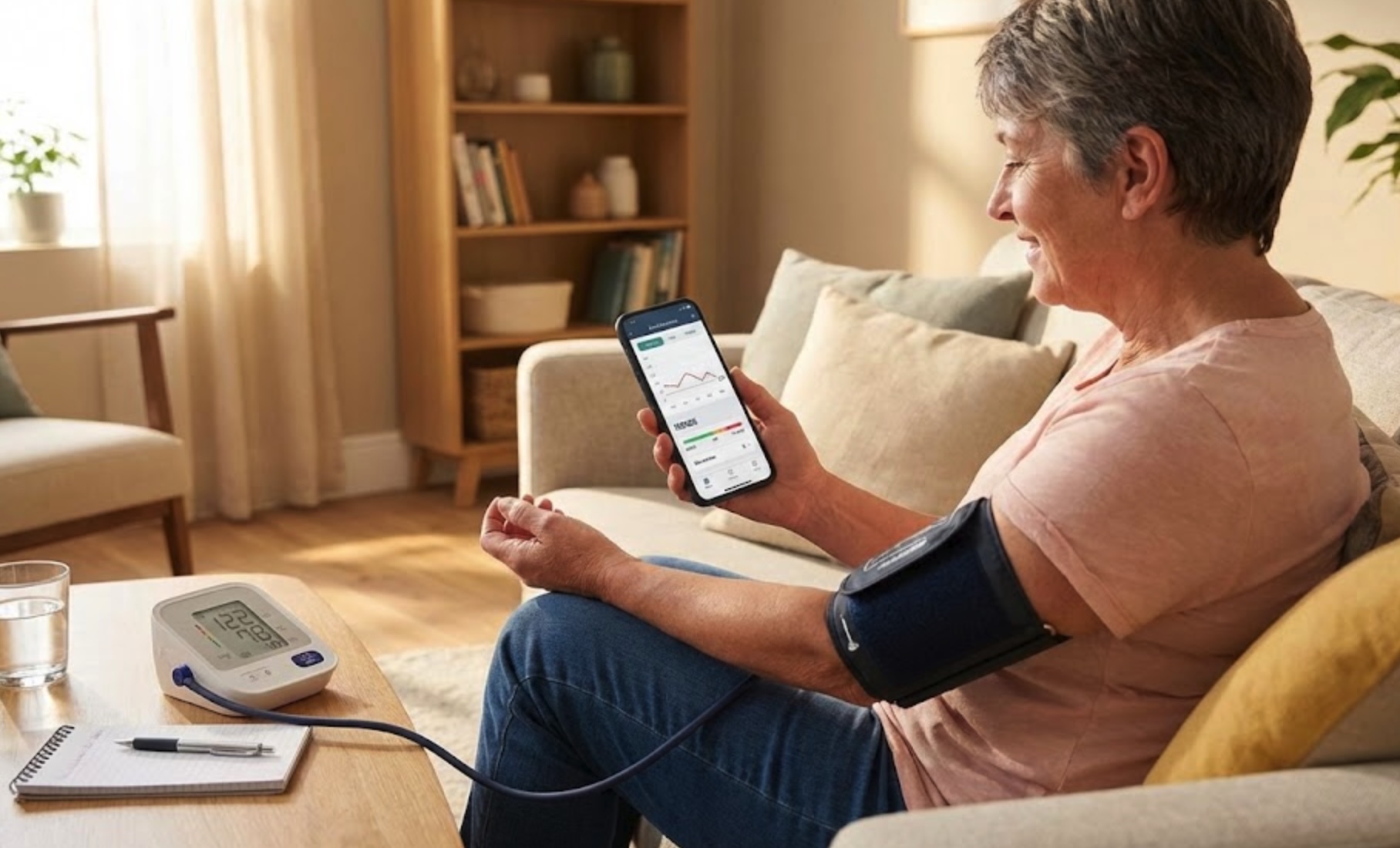
A blood pressure app is a smartphone application that helps yourecord, track, analyze, and share your blood pressure readingsover time, usually by syncing with a home blood pressure cuff or manually entering values from your device.
This guide compares the best apps for blood pressure monitoring in 2026—including free blood pressure apps, options for Samsung and iPhone, and apps that work with popular blood pressure cuffs. You’ll also learn how to use them correctly, what to avoid, and how to choose an app that actually supports your heart health.
Prefer paper? You can also grab a free printable blood pressure log sheet (with pulse column) — useful for shared family monitors, older relatives, or building the habit before switching to an app.
Why Use a Blood Pressure App?
Hypertension affects more than 1.3 billion people worldwide, and home monitoring is one of the most effective ways to control it. A dedicated app for blood pressure turns scattered home readings into a clear picture of your trends, triggers, and treatment response.
- See long-term trends instead of isolated numbers.
- Spot patterns, like higher readings in the morning or after work.
- Set reminders so you don’t forget to measure.
- Share organized reports with your doctor or clinic.
- Keep blood pressure, heart rate, weight, and medication history in one place.
Important safety note
A blood pressure app monitor supports your care, but it does not diagnose or treat disease. Always discuss concerning readings (for example, above 180/120 mmHg or with symptoms like chest pain or shortness of breath) with a clinician or emergency services.
What to Look For in a Blood Pressure App
Most app store descriptions sound similar, but a truly usefulblood pressure app has features that make daily monitoring easier, more accurate, and safer.
1. Data entry and device compatibility
Decide how you want readings to get into the app:
- Manual entry: You type in systolic, diastolic, and heart rate from your cuff.
- Bluetooth sync: The app connects directly to a smartblood pressure cuff and imports readings automatically.
- Platform sync: The app pulls data from Apple Health, Google Fit, or Samsung Health, which your cuff already syncs to.
2. Clear charts and color zones
Look for graphs that highlight trends over weeks and months and color-coded ranges mapped to the standard blood pressure chart categories like:
- Normal: below 120/80 mmHg
- Elevated: 120–129 / below 80 mmHg
- High blood pressure (stage 1): 130–139 / 80–89 mmHg
- High blood pressure (stage 2): 140 + / 90 + mmHg
3. Reminders and habit support
The best apps for blood pressure monitoring make it easy to build a habit by sending reminders at your chosen times, such as morning before medications and evening before bed.
4. Reports you can share
Clinicians need more than a few numbers. Look for export options like:
- PDF summaries with average BP, ranges, and graphs.
- CSV exports you can upload to portals.
- Direct sharing via secure link or email.
5. Privacy, security, and transparency
Because blood pressure data is health data, read the privacy policy. A trustworthy blood pressure app free or paid should clearly state:
- What data is collected and why.
- Whether data is sold or shared with advertisers.
- How long data is stored, and how to delete it.
Avoid camera-only BP apps
Be cautious of any blood pressure app that claims to measure blood pressure only from your camera, selfie, or finger on the screen. These are not clinically validated and can give dangerously misleading readings.
Top Blood Pressure Apps Overall (Paid & Free)
Below are widely used apps that support both manual entry and syncing with popular cuffs. Availability can change, so always check the latest app store listing and your local regulations.
| App | Best For | Free? | Apple Health | Google Fit | Bluetooth Cuff | Apple Watch | Family Profiles | PDF Export |
|---|---|---|---|---|---|---|---|---|
| Cardilog | Free overall | Yes | Yes | Yes | Manual entry | Companion | Coming soon | Yes |
| Omron Connect | Omron cuff owners | Free tier | Yes | Yes | Omron only | Companion | Yes | Yes |
| Apple Health | iPhone hub | Yes | Native | No | Via partner app | Yes | No | Via export |
| Samsung Health | Galaxy phone & watch | Yes | No | Via Health Connect | Selected models | Galaxy Watch | No | Via export |
| Withings Health Mate | Family profiles | Free tier | Yes | Yes | Withings BPM | Companion | Yes | Premium |
| Qardio Heart Health | Removed from app stores | Free tier | Yes | Yes | QardioArm | Companion | Limited | Premium |
1. Cardilog (iOS, Android) — Best Free Blood Pressure Tracking App


Cardilog stands out as the best free blood pressure tracking app available, offering a comprehensive set of features without any subscription fees or paywalls. Designed with both patients and healthcare providers in mind, Cardilog makes it easy to track, analyze, and share your blood pressure readings over time.
- Completely free with all core features available—no premium subscriptions required.
- Cardilog Intelligence — AI-powered insights that highlight patterns in your readings (e.g. higher evening BP, sodium or stress correlations) and generate doctor-ready summaries from your history.
- Intuitive interface with clear charts, color-coded zones, and trend analysis.
- Manual entry support for any blood pressure monitor or cuff.
- Exportable reports in PDF and CSV formats for easy sharing with clinicians.
- Customizable reminders to help build consistent monitoring habits.
- Secure, privacy-focused data storage with transparent policies.
- Works seamlessly on both iOS and Android devices.
- Integration with Apple Health and Google Fit for comprehensive health tracking.
2. Omron Connect — Best for Omron Cuff Owners
Omron is a long-established manufacturer of clinically validated monitors. The Omron Connect app is ideal if you already have an Omron Bluetooth cuff or plan to buy one.
- Automatic transfer of readings from Omron BP monitors.
- Trends, weekly and monthly averages, and high-BP flags.
- Integration with Apple Health, Google Fit, and some partner platforms.
- Some premium features may require a subscription in certain regions.
| Pros | Cons |
|---|---|
| Pairs with clinically validated Omron cuffs | Locked into the Omron device ecosystem |
| Automatic Bluetooth transfer of readings | Subscription gates some features in select regions |
| Strong long-term track record with clinicians | Interface feels dated next to Withings |
3. Apple Health + Cardilog — Best for iPhone & Apple Watch Users
On iPhone, Apple Health can act as a central hub for blood pressure. Many cuffs from brands like Withings and Omron sync directly to Apple Health, which then feeds readings into other blood pressure apps if you choose. Cardilog is a great option for this; it syncs with Apple Health and is a free app.
- Free, pre-installed on iPhone.
- Secure on-device storage with iCloud backup options.
- Combines BP with weight, activity, sleep, and labs.
- Works best when paired with a device-specific companion app.
| Pros | Cons |
|---|---|
| Pre-installed on every iPhone, no extra download | Apple Watch cannot measure BP directly |
| Encrypted on-device storage with iCloud sync | Charts and trends are basic — pair with Cardilog for analytics |
| Combines BP with sleep, ECG, weight, and activity | No native PDF export for clinicians |
4. Samsung Health — Best for Galaxy Phone & Watch Owners
For Android users, especially Galaxy owners, Samsung Health can be a powerful blood pressure app for Samsung devices when combined with supported cuffs and, in some regions, Galaxy Watches.
- Free and deeply integrated on Samsung phones.
- Syncs with selected Bluetooth blood pressure monitors.
- In some countries, certain Galaxy Watches can estimate BP once calibrated with a cuff.
- Central place to see BP alongside steps, sleep, and weight.
| Pros | Cons |
|---|---|
| Galaxy Watch BP estimation in supported regions | Watch BP feature only works in some countries, and its US rollout began in March 2026 |
| Deep Samsung phone integration | Requires monthly cuff calibration to stay accurate |
| Free and bundled with the Samsung ecosystem | Limited iOS support |
5. Withings Health Mate — Best for Family Profiles
Withings focuses on connected health devices. If you own a Withings BPM Connect or similar monitor, Health Mate is the natural companion app for blood pressure monitoring.
- Automatic sync from Withings BP monitors and scales.
- Family profiles so multiple people can track in one app.
- Integration with Apple Health and Google Fit.
- Some wellness programs and features may require premium access.
| Pros | Cons |
|---|---|
| Built-in family profiles for multi-user tracking | Best when paired with Withings hardware |
| Pairs with BPM Connect, scales, and sleep mats | Wellness programs gated by Withings+ subscription |
| Apple Health + Google Fit integration | Premium analytics not free |
6. Qardio Heart Health (No Longer in the App Stores)
Qardio Heart Health was the companion app for Qardio’s own smart blood pressure cuff, the QardioArm, and was known for its simple, modern interface. Dutch court records show that Qardio’s European company filed for bankruptcy in April 2024, after funding from its US parent company stopped and sales fell. The app later disappeared from the App Store and Google Play, and when we checked in October 2026 it was still missing from both, so new users may not be able to install it. We list it last for that reason and keep it here for people who already own a QardioArm.
- Automatic sync with QardioArm and some other compatible Bluetooth cuffs.
- Clean charts, color-coded zones, and irregular pattern alerts.
- Integration with Apple Health and Google Fit.
- Optional paid features for advanced analytics and cloud backup.
| Pros | Cons |
|---|---|
| Polished, modern interface | Removed from the App Store and Google Play |
| Tight Apple Health & Google Fit sync | Best experience locked to QardioArm cuff |
| Irregular heartbeat alerts | Some advanced analytics behind paywall |
Best Free Blood Pressure Apps: Managing Your Health on a Budget
If you’re looking for a free blood pressure app, your main goal is usually reliable tracking without paywalls. Many high-quality apps are free or have generous free tiers.
Cardilog: The Best Free Blood Pressure Tracking App
Cardilog is our top recommendation for anyone seeking afree blood pressure tracking app that doesn't compromise on features. Unlike many apps that lock essential functionality behind premium subscriptions, Cardilog provides everything you need for effective blood pressure monitoring at no cost.
What makes Cardilog the best free blood pressure app is its combination of professional-grade features and user-friendly design. You get comprehensive charts, trend analysis, customizable reminders, and exportable reports—all without ever hitting a paywall. Whether you're tracking your own readings or managing family members' data, Cardilog delivers the tools you need to stay on top of your cardiovascular health.
Because every reading can be tagged with context—stress, poor sleep, a salty meal, alcohol, or a missed dose—a good free app also helps you spot your personal triggers instead of staring at isolated numbers. That structure does two things at once: it lowers the anxiety many people feel around their monitor, and it gives your doctor clean, evidence-based trends to act on. It's exactly why clinicians increasingly recommend tracking at home between visits—better data leads to better decisions.
- Cardilog (iOS, Android): The best free blood pressure tracking app with full-featured tracking, charts, reminders, and export capabilities—completely free.
- Samsung Health (Android): Excellent option if you own a Samsung phone; integrates BP with lifestyle data.
- Apple Health (iOS): Free hub for BP data with strong privacy controls when used with a compatible cuff.
- Omron Connect (iOS, Android): Free core features for logging and trending BP with Omron devices.
- Device-specific apps: Many cuff manufacturers offer ablood pressure app for free that is good enough for daily use.
How to avoid surprise costs
Before committing, check whether the app’s essential features—manual entry, daily charts, export—are available without a subscription. A truly useful blood pressure app free should not lock basic tracking behind a paywall.
Best Blood Pressure App for iPhone (& Apple Watch) in 2026
If you’re searching for a blood pressure app for iPhone, the right setup usually combines Apple Health as the central data hub with a companion app that handles charts, reminders, and clinician-ready reports. Many of the best iPhone blood pressure apps are free—you just need to know how to wire them together with a validated cuff.
How Apple Health centralizes BP data on iPhone
On iOS, Apple Health acts as the secure, encrypted storage layer for your blood pressure readings. Validated cuffs from Withings (BPM Connect, BPM Core) and Omron sync directly to Apple Health over Bluetooth, and any HealthKit-enabled app can read those readings with your permission. Cardilog is a popular free iPhone companion because it pulls existing Apple Health BP data automatically—no double entry—and adds clear charts, color-coded zones, and PDF reports.
Apple Watch and blood pressure: what’s possible (and what isn’t)
Apple Watch does not measure blood pressure directly—not the Series 9, 10, 11, or Ultra. What newer Apple Watches can do is detect patterns consistent with hypertension over a 30-day window and prompt you to take a cuff reading. That notification is useful as a screening nudge, but it’s not a measurement. For accurate numbers, pair your Apple Watch with a validated upper-arm cuff and let a blood pressure app for Apple Watch companion (like Cardilog) chart your readings alongside ECG, heart rate, and activity from the watch.
Best free iPhone blood pressure apps
- Cardilog — the best free blood pressure app for iPhone, with full Apple Health sync, PDF/CSV export, and no premium paywall.
- Apple Health — pre-installed; ideal as the data hub when paired with a HealthKit-enabled cuff.
- Omron Connect — free core features when used with an Omron Bluetooth monitor.
Best Blood Pressure App for Samsung & Galaxy Watch (2026)
For Samsung phones and Galaxy Watch owners, the best blood pressure app for Samsung depends on whether you have a region-supported Galaxy Watch or are tracking with a separate Bluetooth cuff. In supported regions, the Samsung Health Monitor app turns the watch into an estimation tool. Everywhere else, your cuff’s app paired with Samsung Health (or a manual-entry tracker) is the more reliable path.
Galaxy Watch BP estimation: where it works and how accurate it is
Select Galaxy Watch models (Watch 4 and later) can estimate blood pressure using the Samsung Health Monitor app in supported regions. In the United States, Samsung began a phased rollout on March 31, 2026, as a wellness feature that is not meant for diagnosis. The feature also requires recalibration with a real cuff every four weeks. Treat watch readings as trend signals, not diagnostic numbers, and confirm anything concerning with a validated upper-arm monitor.
Samsung-compatible Bluetooth cuffs and Android alternatives
- Omron, A&D Medical, and Withings cuffs all sync to Samsung Health via Bluetooth or Health Connect.
- Samsung Health is the natural hub on Galaxy phones, combining BP with sleep, steps, and weight.
- On non-Samsung Android phones, a manual-entry tracker like Cardilog plus any validated cuff is the simplest setup.
- Google Health Connect is the new interoperability layer if you mix apps from different vendors.
Blood Pressure Apps for Specific Needs
For caregivers and families
Some caregivers need to monitor readings for older parents or family members. Look for apps that support multiple profiles or easy sharing.
- Withings Health Mate family profiles.
- Omron with exportable PDFs you can email to relatives.
- Apps that allow separate profiles on one device, if you share a phone or tablet.
For data enthusiasts
If you enjoy detailed analysis, look for an app for blood pressure monitoring that offers:
- Hourly, daily, weekly, and monthly trend views.
- Morning/evening averages and variability.
- Export to CSV so you can run your own analyses.
Connecting Your Blood Pressure Cuff to an App
A common point of confusion is how to connect your blood pressure cuff app and monitor. The exact steps vary, but the process is similar across brands.
General steps to connect via Bluetooth
- Install the app recommended by your cuff manufacturer from the official app store.
- Turn on Bluetooth on your phone and keep the cuff nearby (usually within 1–2 meters).
- Open the app and look for a “Add Device” or “Pair Monitor” option in Settings.
- Put the cuff into pairing mode (often by pressing and holding a button until a symbol blinks).
- Select your device from the list and complete the pairing steps shown in the app.
Manual entry works too
If your cuff is not “smart,” you can still use almost anyblood pressure app monitor by typing readings in by hand. This is perfectly acceptable and often more stable than Bluetooth.
How to Use a Blood Pressure App Effectively for Accurate Data
Even the best app cannot fix poor measurement technique. For accurate readings, follow evidence-based home monitoring steps used in clinical trials.
Prepare correctly
- Avoid caffeine, exercise, and smoking for at least 30 minutes before.
- Empty your bladder and rest quietly for 5 minutes.
- Sit with back supported, feet flat on the floor, legs uncrossed.
- Keep the cuff at heart level on bare skin, not over clothing.
Measure consistently
- Take at least two readings, 1 minute apart, and record the average.
- Measure at the same times each day (often morning and evening).
- Use the same arm unless your clinician tells you otherwise.
Record context in the app
Many apps let you tag readings with notes about symptoms, medications, or events like poor sleep or high stress. This helps your clinician interpret your numbers.
- New or changed medications.
- Headache, dizziness, chest pain, or shortness of breath.
- Travel, illness, or major stressors.
Important Considerations: Accuracy, Privacy, and Doctor Consultation
Accuracy depends on your device, not just the app
A blood pressure app can only be as accurate as the cuff feeding it data. Use a validated upper-arm monitor when possible and replace cuffs according to manufacturer guidance.
Protecting your data
Because blood pressure readings are sensitive, choose apps from established manufacturers or health-tech companies. Turn on security features like device lock, two-factor authentication, and encrypted backups when available.
Working with your clinician
Before switching medications or worrying about a single high reading, share your app reports with your clinician. Many guidelines recommend interpreting averages over several days rather than isolated values.
If nobody is currently following your blood pressure, or you would like a specialist to read the trend your app has built up, you can request a video consult with a cardiologist and bring your exported report to the call.
When to seek urgent care
If your app for blood pressure monitoring shows a reading above 180 systolic or 120 diastolic and you have symptoms like chest pain, shortness of breath, vision changes, or confusion, seek emergency care immediately rather than relying on the app.
Conclusion: Finding the Right Blood Pressure App for You
The best blood pressure app is the one you’ll actually use consistently. For most people, that means a simple, trustworthy interface; reliable syncing or easy manual entry; and clear reports that make medical appointments more productive.
For most users, we recommend starting with Cardilog, thebest free blood pressure tracking app that offers comprehensive features without any cost. Whether you choose Cardilog, Samsung Health, Apple Health, or invest in a premium ecosystem from Omron or Withings, focus on validated devices, good measurement technique, and ongoing conversations with your care team. Apps are powerful tools—but your health decisions should always rest on clinical guidance.